Manyreach/Pricing
This page
Click text on the page and type. Only this page changes.
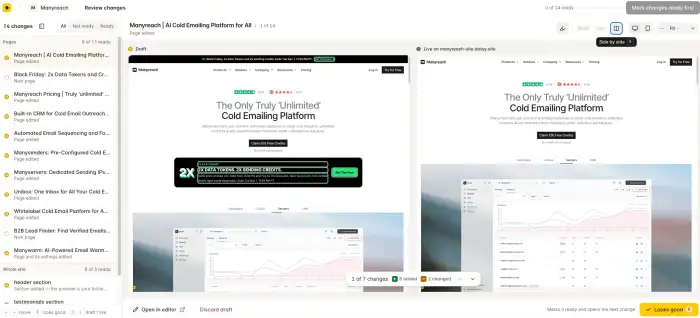
Whether your AI built the page or you moved it over from Webflow, Framer or WordPress, your team fixes it by clicking. Your AI can edit the same page, and its changes wait as drafts until you publish.
Text on a page changes that page. The header, the footer and shared sections ask first, so you always know how far a change goes.
Click text on the page and type. Only this page changes.
The header, footer and shared sections ask before you edit, and say which pages change.
Blog posts open in a writing editor inside your own page design. Type / to add what you need.
We read what people say about editing their own sites. These lines kept coming up. Under each one is what dotsy does about it.
A couple years later, the dev moves on, and the client has no way to update their site with new features or sections, and no way to fix it if anything breaks.Works at a CMS company · Hacker News · Sep 2025 ↗
Anyone on your team can click the text and type. No developer needed after handover.
about $100 minimum for the lowest effort touch, $200 for an actually one line change (like business hours)Web agency owner · Hacker News · Jan 2026 ↗
A one-line change is a click and a few keys, on every plan.
the old CMS back-end to update content was "too technical", and the hours / a day wait for me or the developer to do it instead was too longIT director · Hacker News · May 2026 ↗
Marketing fixes it on the page and publishes when it's ready.
When prompting v0 for a ui change, often times it tends to completely refactor the entire page or component, changing or even erasing code not relevant to the request.v0 user · Vercel Community · Jul 2025 ↗
Your AI's changes land as drafts you can check and undo before anything is live.
It was the guy who runs a bakery being able to edit his own website on a Sunday morning.Runs sites for small businesses · Hacker News · Apr 2026 ↗
That's the whole idea. Click, type, publish.
Everything was built on Elementor blocks. Articles pasted from Word kept breaking styles.Company site team · Hacker News · Apr 2026 ↗
Posts are written inside your site's own design, so they match the rest of it.
None of these people work with us. Each quote links to the full post.
Yes. Moved-over pages edit the same way: click the text and type.
Text edits change only the text you clicked. The header, footer and shared sections ask first, and ⌘Z undoes any step.
Yes. Both land as drafts in the same place, and Activity shows which changes came from a person and which from an AI.
In blog posts and in sections set up for writing. Everywhere else you click and type, or right-click an element to copy, wrap or delete it.
Not yet. Use / Image or Add image to upload one or pick it from your images.
Not yet. Today every teammate can edit every site in the workspace.
Yes. It's on every plan, with as many teammates as you like.
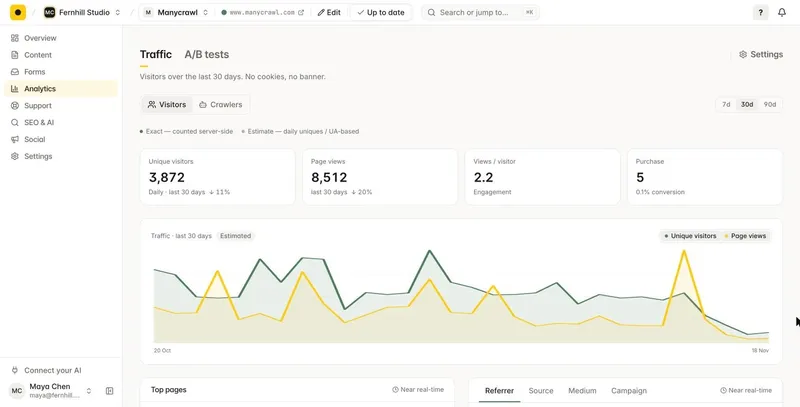
The editor works with everything else in dotsy, from review to the numbers.
Open any page in the editor, click the text and type.