Keep the parts of your pages that matter
You can now tell dotsy which parts of a page must stay: your menu, your footer, a cookie-banner link, a signup form. If an AI agent publishes a page that drops one of them, dotsy stops the publish and tells the agent exactly what's missing, so it fixes the page first.
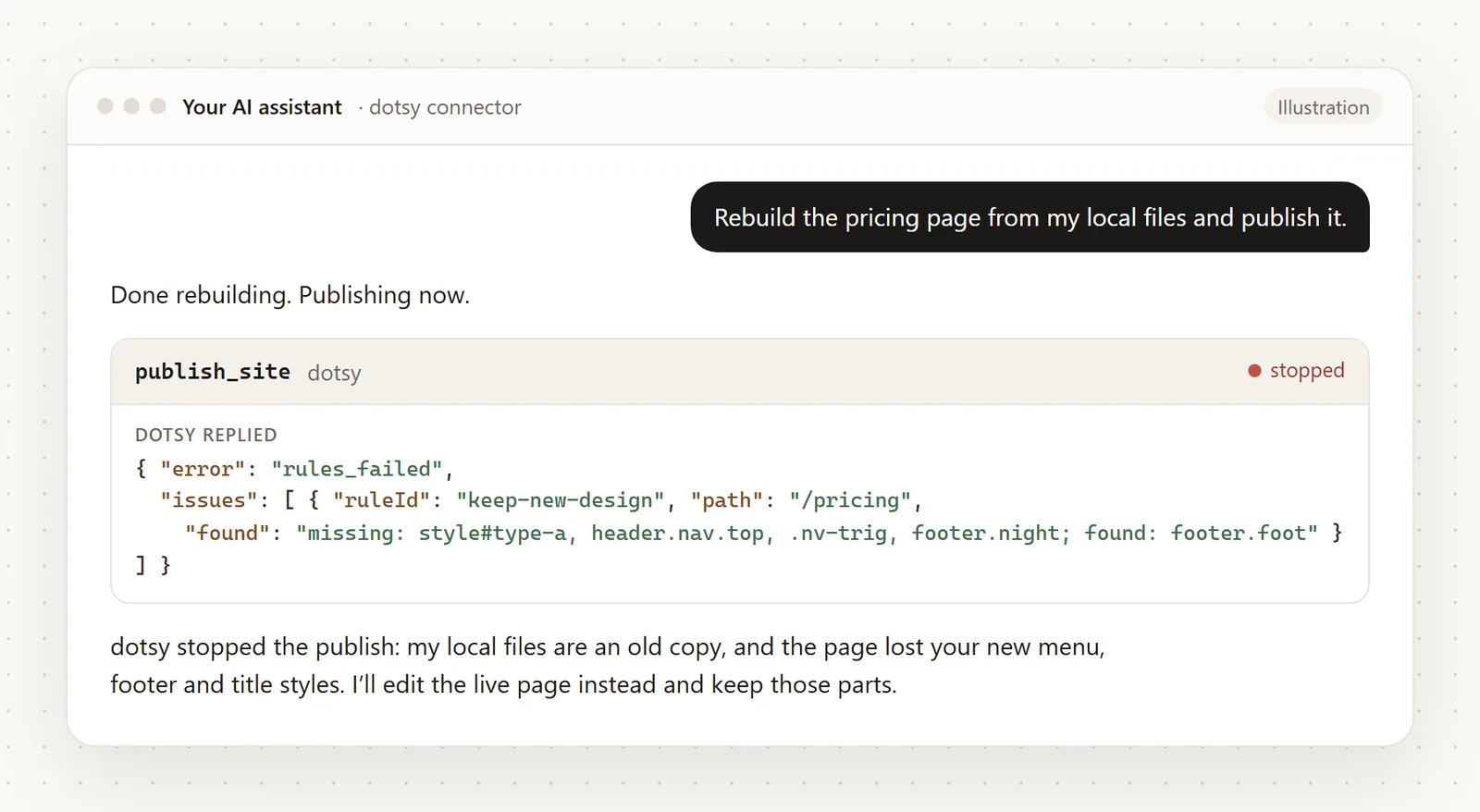
Agents are fast, and sometimes they work from an old copy. One rebuild can quietly swap your new menu for the old one. Now the site itself watches for that.
What's new?
- A new rule: Page must have / must not have. List the parts a page must keep (like
header.nav.topor#signup) and the parts that must never come back (like an oldfooter.foot). - Only on these pages. Any rule can cover the whole site or just some pages, like
/pricingor/blog/*. - Stop AI agents. Set a rule to Stop AI agents and an agent's publish that breaks it is refused, with the page and what's missing. Set it to Warn to only report it.
- You stay in charge. When you publish from the dashboard, you see the same findings as warnings and your publish goes through.
- No quiet way around it. Agents can still update your rules as your site changes. But removing a rule and publishing the broken page in the same step is stopped too, and when an agent removes or loosens a rule that stops agents, you get a note in your notifications.
- Agents can set it up for you. Over MCP, ask your AI to add the rule with
update_brief, then check pages withverify_page.
How to use it
- Open your site's Settings › Rules & guidelines.
- In Design system, click Add rule and pick Page must have / must not have.
- Add one selector per line under Page must have and/or Page must not have. Fill in Only on these pages if the rule fits only some pages.
- Choose Stop AI agents and save.
Who is it for?
Every plan, including Free. It's most useful when an AI agent edits your site for you, or when a page has parts you can't afford to lose: a legal footer, a cookie-banner link, a tracking snippet, a form.
FAQ
Does this slow down publishing?
No. dotsy only checks the pages a publish changes, and sites without these rules skip the check entirely.
What does a selector look like?
An optional tag, then any #id and .class parts: footer, #signup, header.nav.top. Ask your AI to read your page and write them for you.
This shipped from the roadmap: see Keep the parts of your pages that matter.
From the roadmap
Requested , released .
See it on the roadmapVote on the roadmap to hear when your ideas are released.