In dotsy, go to Settings › General and click Connect domain. At Name.com, add one CNAME record (step 1); when dotsy shows Ready for step 2, replace the bare domain's records with two A and two AAAA records. Your old site keeps working until that last change.
Name.com can't point a bare domain (example.com) at a hostname with a CNAME, so dotsy splits the job in two. Step 1 adds one record so dotsy can prepare the secure certificate first. Step 2 swaps the records for the bare domain. The bare domain then sends visitors to www.example.com, which is your site's main address. Email records stay as they are.
What you will add at Name.com
dotsy shows each record as you need it, with copy buttons. This is the whole list for example.com:
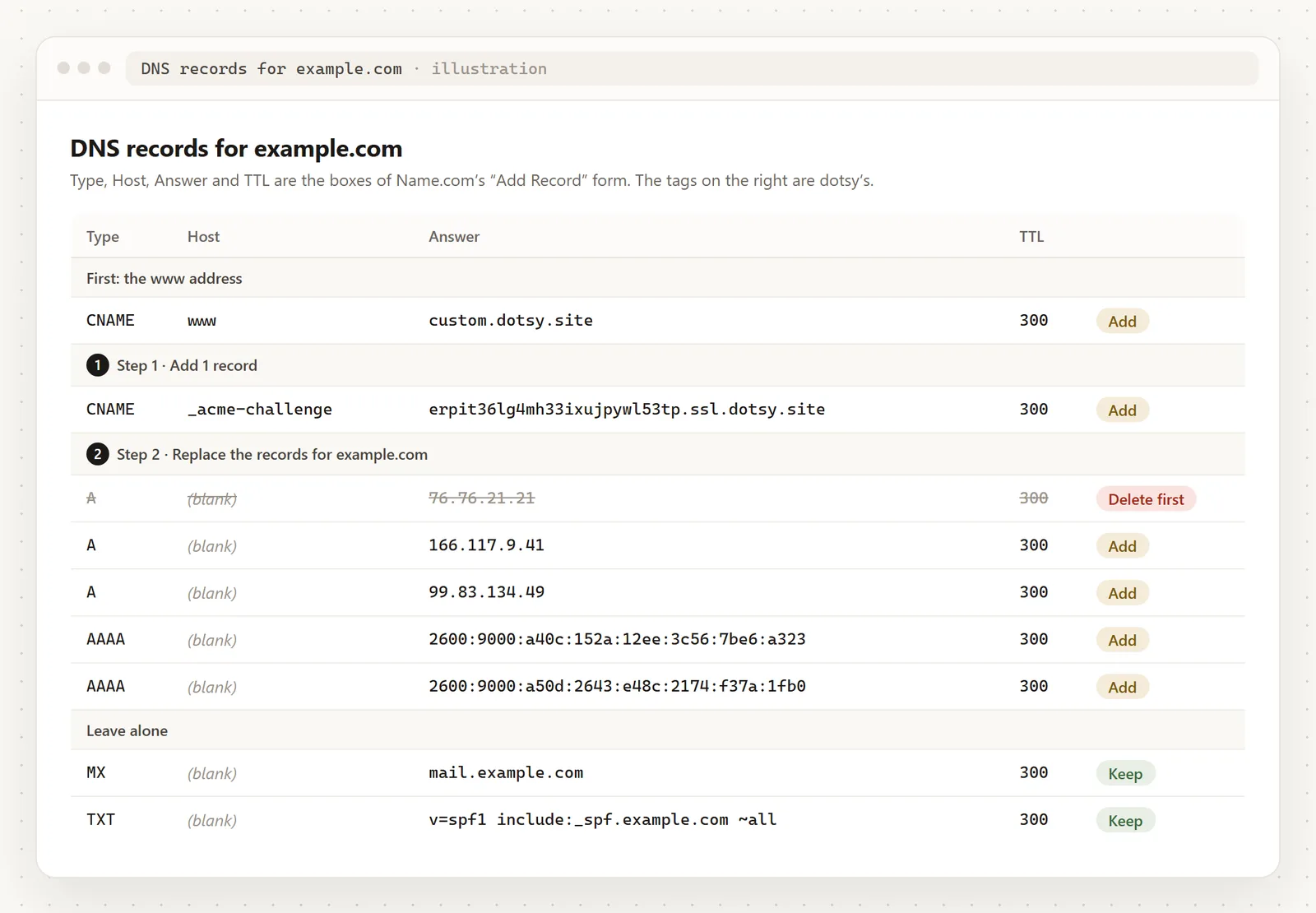
Steps
- Open your site in the dashboard, go to Settings › General and click Connect domain. Type your domain, for example
example.com, keep Connect apex and Connect www ticked and click Continue setup. dotsy recognises Name.com from your domain's name servers and names it on the page.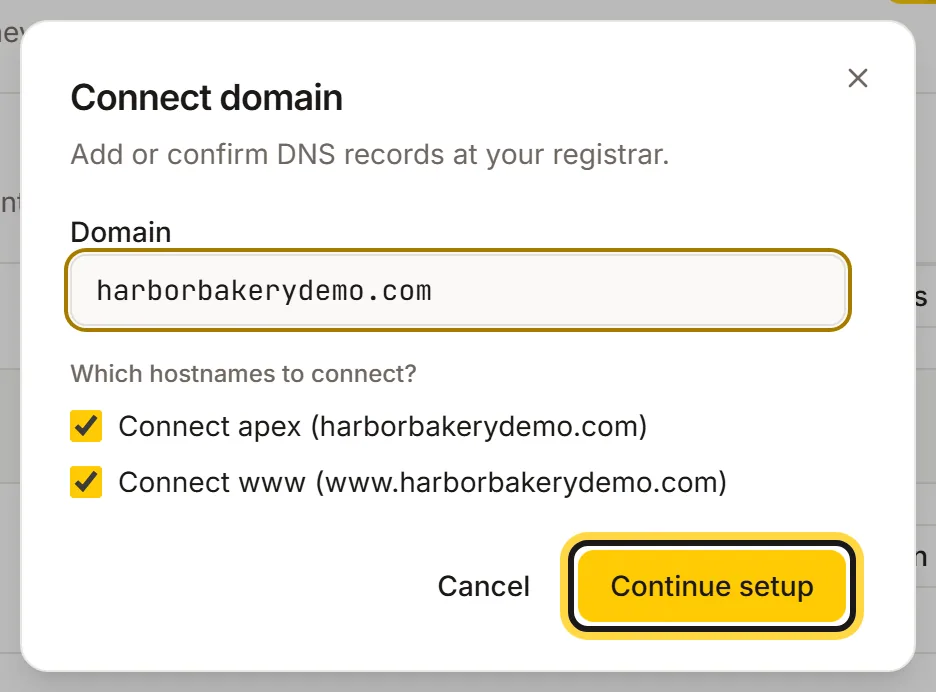
Type your domain, keep both addresses ticked, then click Continue setup. - At Name.com, open My Domains, click your domain and choose Manage DNS Records. The Open Name.com DNS button in dotsy goes straight there. Name.com's form has the boxes Type, Host, Answer and TTL; leave TTL on its default (300).
- Add the
wwwrecord dotsy lists: Type CNAME, Hostwww, Answercustom.dotsy.site, then click Add Record. If the page lists a certificate TXT record for www as well, add it the same way. If Name.com already has awwwrecord, delete or edit it first: a CNAME can't share its name with another record. - Step 1 · Add 1 record. Back in dotsy, under Step 1 · Add 1 record, copy the CNAME shown there. At Name.com add it: Type CNAME, Host
_acme-challenge, Answer the long address ending in.ssl.dotsy.site. Click Add Record. Your bare domain still opens your old site.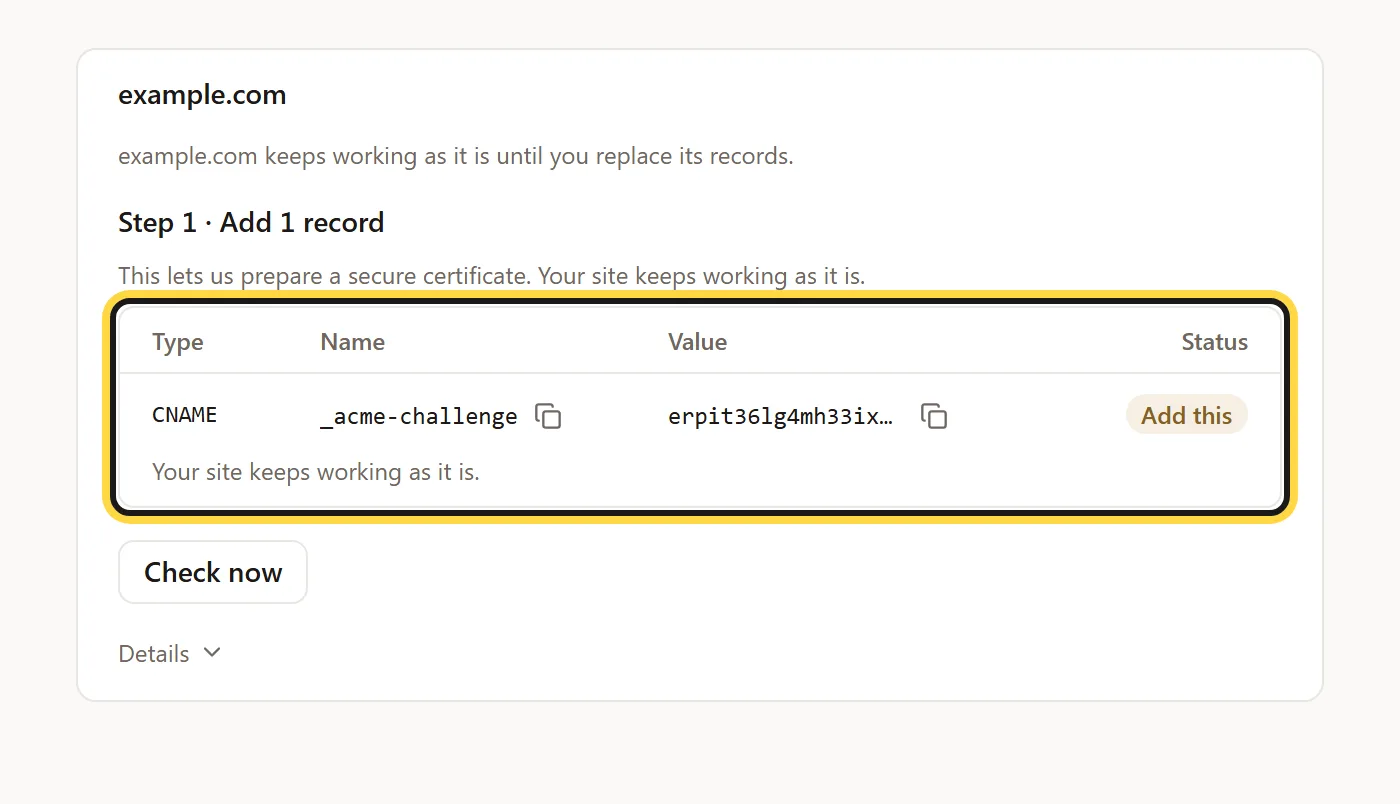
Step 1: one CNAME at Name.com. Your site keeps working as it is. - Wait for Ready for step 2. dotsy shows Preparing… usually a few minutes while it gets the certificate; in our latest test it took under four minutes. dotsy checks by itself, or click Check now. You can leave the page.
- Step 2 · Replace the records for example.com. The card now lists the delete row first, then four records to add. At Name.com first delete every old record for the bare domain that points at your old site: the A record marked Delete this record, and any ANAME or URL forwarding on it. Then add two A and two AAAA records with Host left blank (dotsy shows it as
@) and the addresses from the card, each as its own record.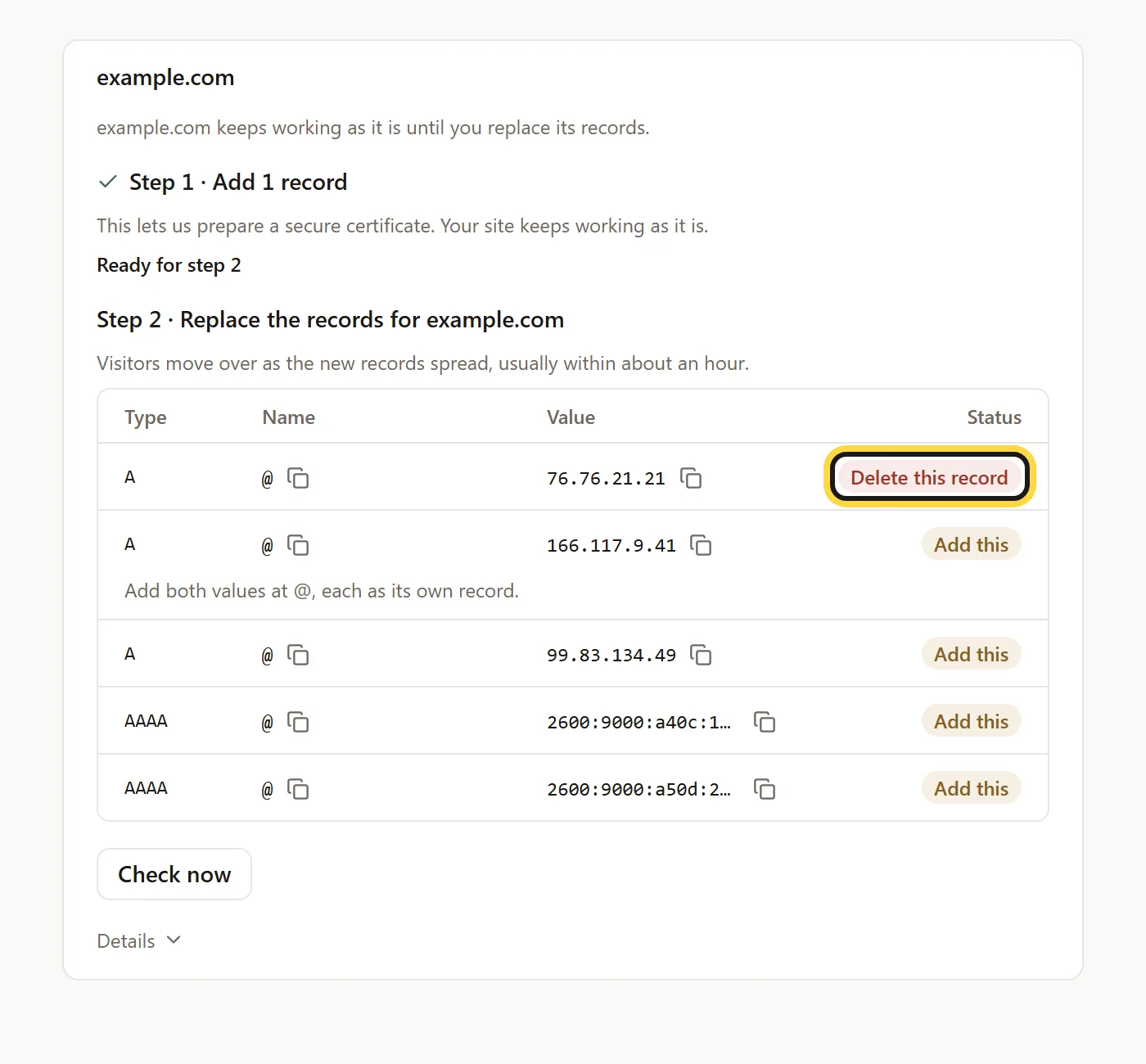
Step 2: delete the old record first, then add the four new ones. - Click Check now in dotsy. It shows Checking… (can take up to an hour) while the new records spread. In our latest test the domain was live two minutes after the switch.
- When dotsy shows Done — example.com now opens your site, you're finished. Open
example.com: it sends you towww.example.com, with the page path kept.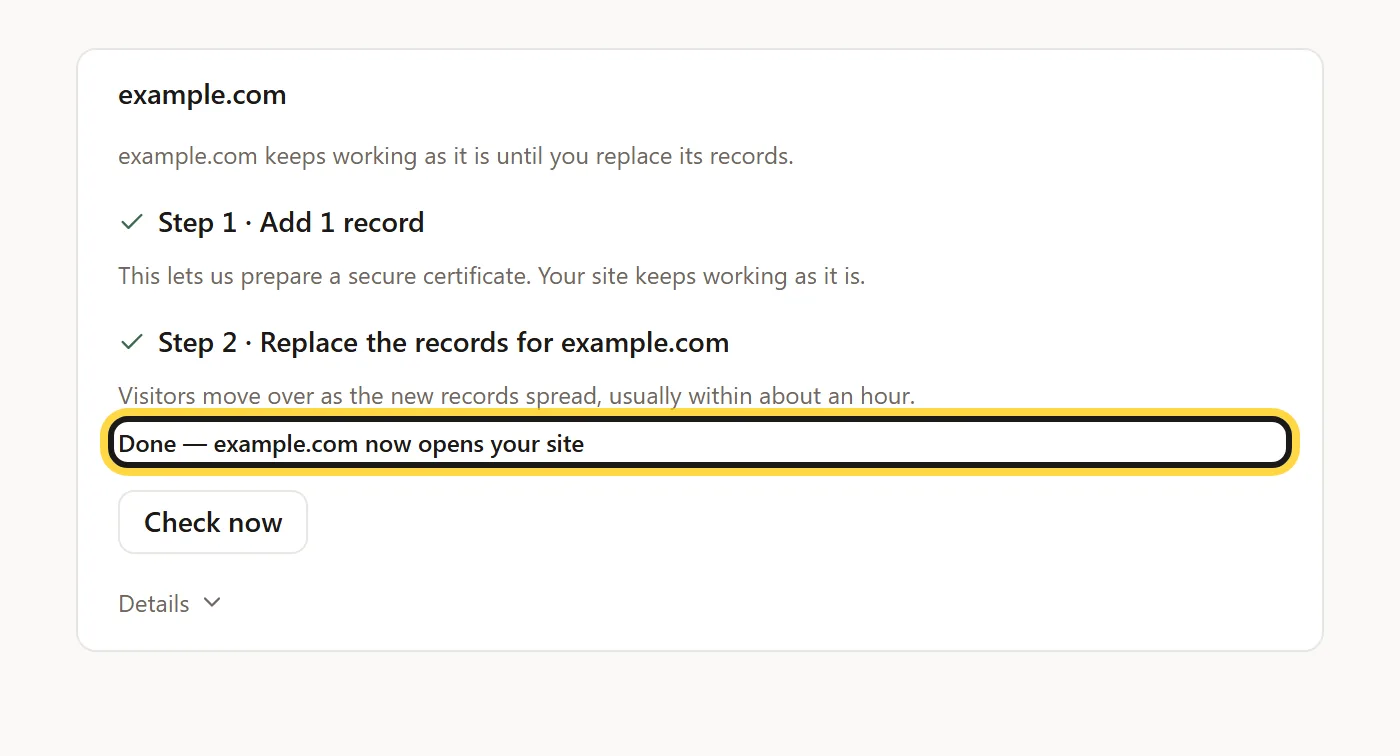
Done: the bare domain opens your site.
Name.com's menus move around now and then, so the names there may differ slightly. This page is for domains that use Name.com's own name servers. If yours uses other name servers, add the records at that provider; dotsy names the provider it finds.
Already connected, but example.com doesn't open your site?
If www.example.com works and the bare domain doesn't, open the bare domain's … menu in Settings › General and choose Set up example.com. See How do I switch my domain to dotsy without downtime?
Couldn't set up
dotsy shows this with the reason underneath. Two common ones: Connect www.example.com on this site first and wait until it opens the site — example.com will open the same site (finish the www records first), and We can't set up example.com this way yet — we don't recognise its DNS provider, so nothing was changed (your domain probably uses other name servers than Name.com's). Nothing is changed at Name.com when you see either.
FAQ
Why can't I use a CNAME on my root domain at Name.com?
A CNAME can't share a name with other records, and your root domain (example.com) always has some, such as name servers and usually mail. Name.com's own workaround, an ANAME record, doesn't let dotsy prepare the secure certificate ahead of time. So dotsy gives you two steps and plain A and AAAA records instead.
Will my email keep working?
Yes. You only add two CNAME records and replace the A, AAAA, ANAME and forwarding records for the bare domain. Your MX records and the TXT records for email (SPF, DKIM) stay as they are. Don't delete them.
How long does it take?
About ten minutes of your time. dotsy usually needs a few minutes after step 1 (under four in our latest test), and the domain opened about two minutes after the switch. Allow up to an hour for the new records to spread to every visitor.
Can I undo it?
Until you replace the records in step 2, yes: click Stop and keep things as they were under the domain. Nothing at Name.com was changed, and you can delete the _acme-challenge record. After step 2, put your old records back at Name.com (note their values before you delete them) and remove the address from Settings › General.
What about Name.com URL forwarding?
Turn it off for the bare domain before step 2. Forwarding adds its own records there, and they would send visitors to the old place instead of dotsy. dotsy shows them as Delete this record. Once you're done, dotsy does the forwarding: the bare domain redirects to www.example.com with a permanent redirect.
Why does example.com open www.example.com?
Because www is the address of your site, and the bare domain only sends people there. The path is kept, so example.com/about opens www.example.com/about.