GoDaddy can't point your bare domain (example.com) at dotsy, so you connect www.example.com instead. In dotsy go to Settings › General and click Connect domain, set the www CNAME record to custom.dotsy.site at GoDaddy, then forward example.com to https://www.example.com.
This page is for domains whose DNS is at GoDaddy (its name servers end in domaincontrol.com). If you bought the domain at GoDaddy but moved its DNS somewhere else, dotsy names that provider instead: follow How do I connect my own domain to my dotsy site?
Steps
- Open your site in the dashboard and go to Settings › General. In the Domain card, click Connect domain.
- Type your domain, for example
example.com. Keep Connect apex and Connect www ticked and click Continue setup.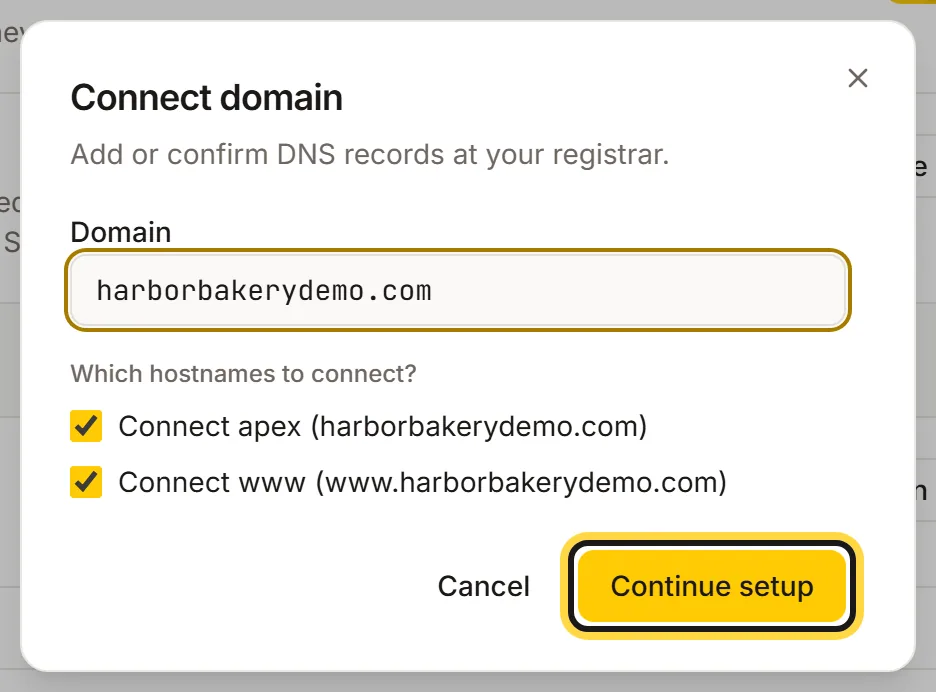
Type your GoDaddy domain, keep both addresses ticked, then click Continue setup. - dotsy recognises GoDaddy and connects
www.example.comas your site's address. The page asks for one record: a CNAME namedwwwwith the valuecustom.dotsy.site. Click Open GoDaddy DNS.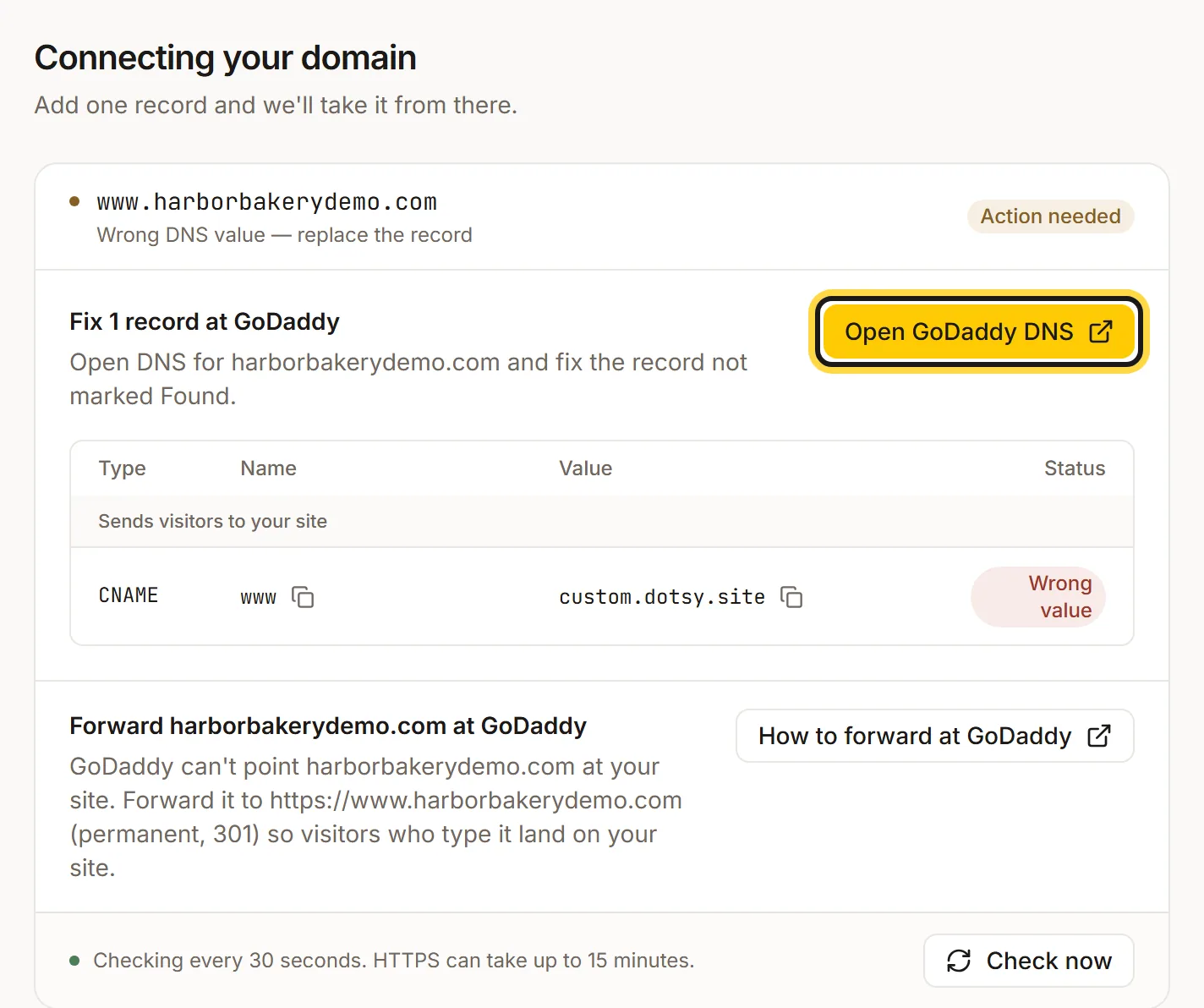
dotsy recognises GoDaddy, connects the www address and shows the one record to set. - At GoDaddy, on your domain's DNS records, look for an existing CNAME named
www(GoDaddy usually adds one that points to@). Edit it and change its value tocustom.dotsy.site. If there's nowwwrecord, add one: type CNAME, namewww, valuecustom.dotsy.site. Save. Leave your MX and TXT records alone. GoDaddy moves its menus around now and then, so the names there may differ slightly. - Back in dotsy, the Forward example.com at GoDaddy step explains the second half. Click How to forward at GoDaddy for GoDaddy's own guide (Forward my domain), then at GoDaddy forward
example.comtohttps://www.example.comand choose a permanent (301) redirect.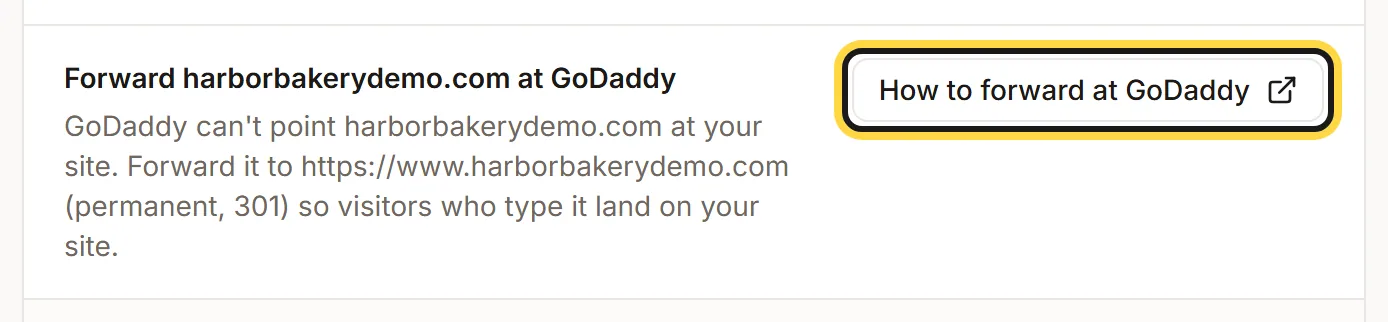
Forward the bare domain to www at GoDaddy so visitors who type it still reach your site. - dotsy checks your DNS every 30 seconds, or click Check now. When the
wwwrecord shows Found, HTTPS follows, usually within a few minutes and at most 15. When you see Your domain is live, you're done.
You can leave the page while dotsy checks. Visitors who type example.com land on www.example.com through GoDaddy's forward.
Wrong DNS value — replace the record
dotsy shows this under www.example.com, with Wrong value next to the record, when a www record exists but points somewhere else: GoDaddy's default (@), a parking page or your old host. Edit that record so its value is exactly custom.dotsy.site. Don't add a second www record next to it.
example.com still shows a GoDaddy page or my old site
The forward isn't set up yet, or it hasn't taken effect. Check the forwarding at GoDaddy points to https://www.example.com. If www.example.com also shows the old site, read Why does my domain still show my old website?
FAQ
Why can't I connect example.com without www at GoDaddy?
dotsy points your domain at a hostname, custom.dotsy.site. GoDaddy has no record type that does that for the bare domain, so the bare domain forwards to www instead. To serve the bare domain directly, move your DNS to Cloudflare (free), which accepts a CNAME on @: How do I connect a Cloudflare domain to dotsy?
Is forwarding bad for SEO?
No. A permanent (301) forward tells browsers and search engines that www.example.com is the address to use, and every visitor still reaches your site.
Will my GoDaddy email keep working?
Yes, as long as you only change the www record and the forward. Don't delete your MX records: they handle email and dotsy never needs them.
Do I need to buy SSL from GoDaddy?
No. dotsy sets up HTTPS for every connected address at no extra cost.