Usually it needs a few more minutes: once your DNS records show Found, dotsy issues the certificate, which takes a few minutes and at most 15. If HTTPS stays pending longer, a record is missing, set to Proxied, or still points somewhere else. Open Settings › General, click your domain's Finish setup and check each record's status.
dotsy sets up HTTPS for every address you connect, free. It can only do that after your DNS sends that address to dotsy, so the certificate always comes after the records. Until it's ready, visitors on that address may see We're issuing your SSL certificate. This usually takes a few minutes once DNS is correct.
Check where it's stuck
- Open your site in the dashboard and go to Settings › General. In the Domain card, click Finish setup next to the address. This opens Connecting your domain.
- Read the badge next to each address and the status next to each record:
- Finishing HTTPS with every record Found: dotsy has what it needs and the certificate is on its way. Wait a few minutes. You can leave the page.
- Action needed, or a record marked Add this, Wrong value or Remove extras: fix that record at your DNS provider first. HTTPS can't start until it's right.
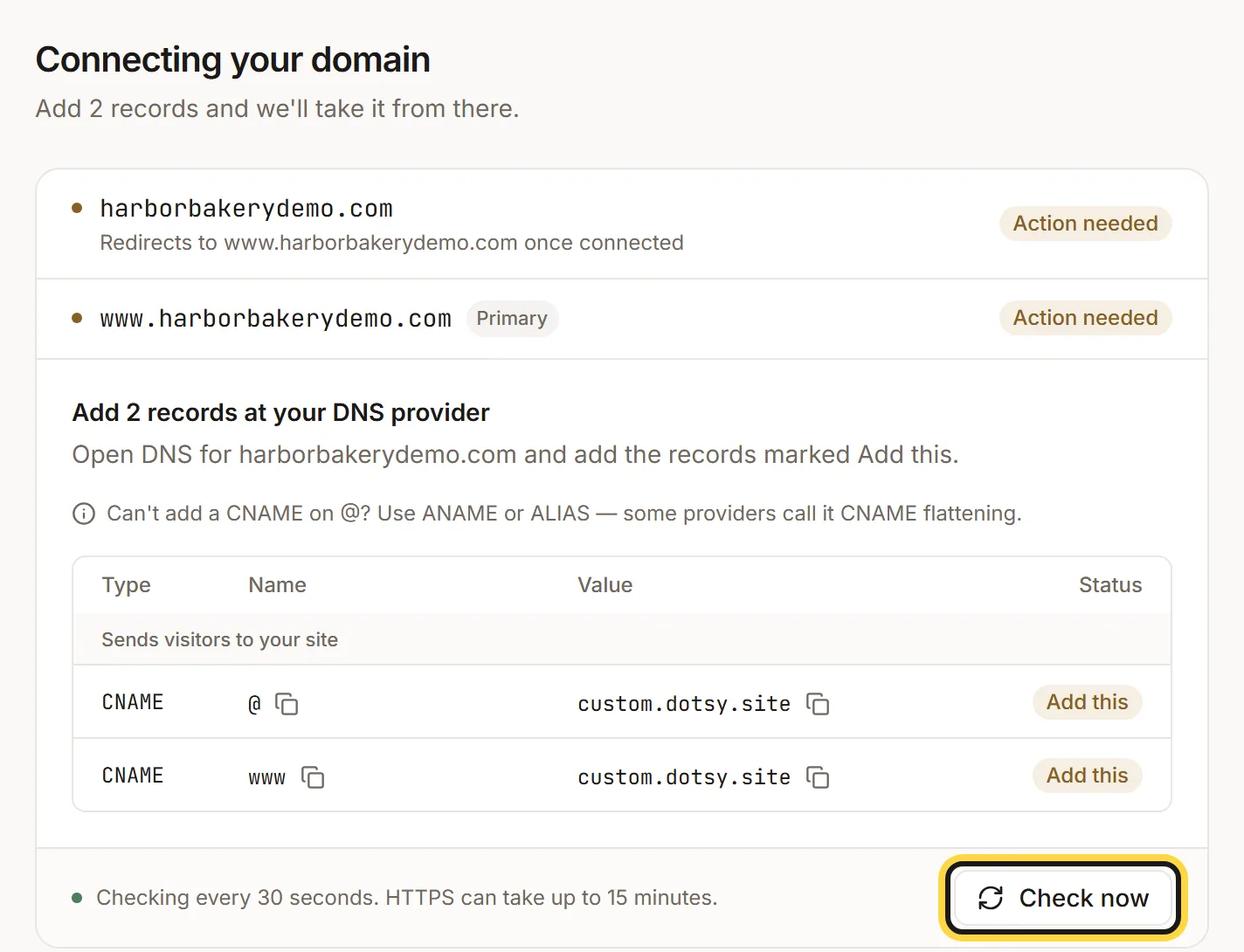
Each address shows its status. Check now looks again straight away. - dotsy checks every 30 seconds by itself. Click Check now to look again straight away after you change a record.
All records found — waiting for the certificate
Everything on your side is done. dotsy is waiting for the certificate, usually a few minutes. If it's been more than 15 minutes, click Check now once, then email us (below) with your domain.
The record is Proxied (Cloudflare orange cloud)
At Cloudflare, a proxied record sends visitors to your own Cloudflare zone, not to dotsy, and the certificate can't be checked. Set each record dotsy gave you to DNS only (grey cloud). Details: How do I connect a Cloudflare domain to dotsy?
A TXT record "Proves you own the domain, for HTTPS"
Sometimes dotsy also lists a TXT record under Proves you own the domain, for HTTPS. Add it exactly as shown, with the copy buttons for the name and the value. If an old TXT record already uses that name, replace its value instead of adding a second one.
Wrong value
An old record still answers for that name, usually your previous host. Change it to the value dotsy shows and delete leftover A or AAAA records for the same name. More: Why does my domain still show my old website?
Remove extras
There's more than one TXT record with the name dotsy uses for the certificate check, often an old one from an earlier attempt. Keep only the one with the value dotsy shows and delete the others.
FAQ
How long does HTTPS take on dotsy?
Usually a few minutes after the records show Found, and at most 15. The DNS change itself can take longer to spread at some providers; dotsy keeps checking, so you don't need to stay on the page.
Do I need to buy or upload an SSL certificate?
No. dotsy issues and renews the certificate for every connected address at no extra cost.
Is my site down while HTTPS is pending?
Only on the new address. Your site stays live on its free yoursite.dotsy.site address the whole time.