In dotsy, go to Settings › General and click Connect domain. Then in your domain's DNS settings at Squarespace, add an ALIAS record for @ and a CNAME record for www, both pointing to custom.dotsy.site, and remove any old records for those two names.
Domains that were at Google Domains moved to Squarespace, so this page covers both. dotsy recognises either kind of name server (squarespacedns.net or googledomains.com). Squarespace won't take a CNAME on the bare domain, so @ uses an ALIAS record with the same value.
Steps
- Open your site in the dashboard and go to Settings › General. In the Domain card, click Connect domain.
- Type your domain, keep Connect apex and Connect www ticked and click Continue setup.
- dotsy lists two records,
@andwww, both with the valuecustom.dotsy.site. When it recognises Squarespace, it names it and gives you an Open Squarespace DNS button. For the@row, choose ALIAS at Squarespace.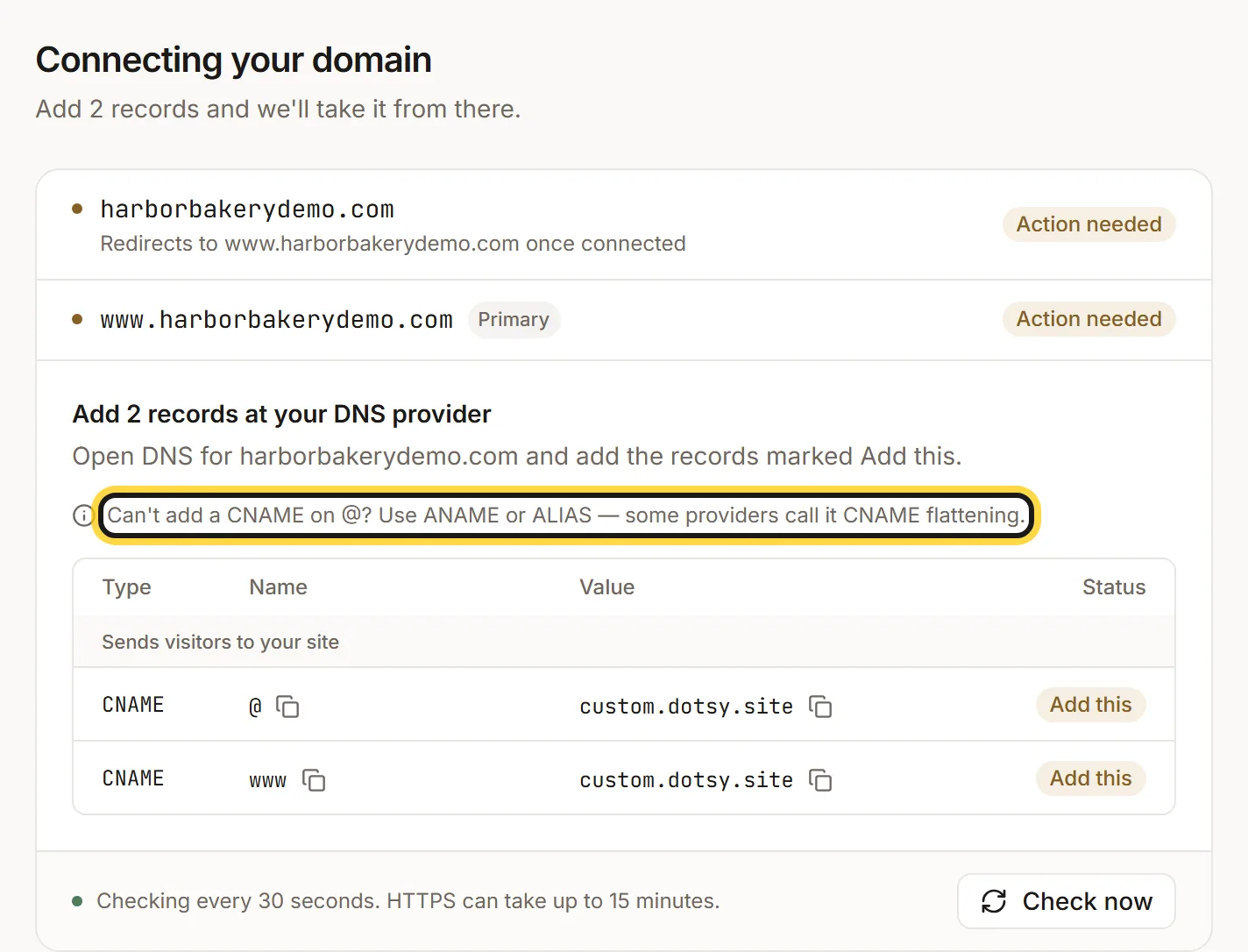
The records to add. For the @ row, choose ALIAS at Squarespace. - At Squarespace, open Domains, pick your domain and open its DNS settings. If the domain was used for a Squarespace site, it has a group of preset records (Squarespace Defaults) on
@andwww: remove those, or any other records on@andwwwfrom an old site. Squarespace's menu names change now and then, so the labels there may differ slightly. - Add two custom records and save:
- Type ALIAS, host
@, datacustom.dotsy.site - Type CNAME, host
www, datacustom.dotsy.site
- Type ALIAS, host
- Back in dotsy, it checks every 30 seconds, or click Check now. Each record changes to Found, then HTTPS follows, usually within a few minutes and at most 15. When you see Your domain is live, you're done.
Moving your site off Squarespace at the same time? Import it first and check the draft before you change the DNS: How do I move my existing website to dotsy?
Wrong value
A record for that name still points at Squarespace or your old host. Edit it so the value is custom.dotsy.site, or delete it and add dotsy's record. See Why does my domain still show my old website?
FAQ
My domain was at Google Domains. Do I need to do anything first?
No. Sign in to Squarespace with the account your Google Domains moved to, then follow the steps above.
Will my Google Workspace email keep working?
Yes, as long as you only change the @ and www records. Don't delete your MX records or the Google Workspace records.
Do I have to cancel my Squarespace website plan?
Your domain and your website plan are separate at Squarespace. Once your domain shows your dotsy site, you can cancel the website plan there and keep the domain.