Report a bug from your AI agent or the dashboard
You can now report a Dotsy bug from wherever you are working. Your AI agent files the report itself, with the Dotsy error it just hit attached, and in the dashboard or editor you click ? › Report a bug and a screenshot of the page comes with it. A person reads every report, and our reply reaches you by email.
When an AI agent works on your site and something fails, you used to copy the error into an email and hope it was enough. Now the details we need travel with the report, so we can find the cause faster and you don't have to explain it twice.
What's new?
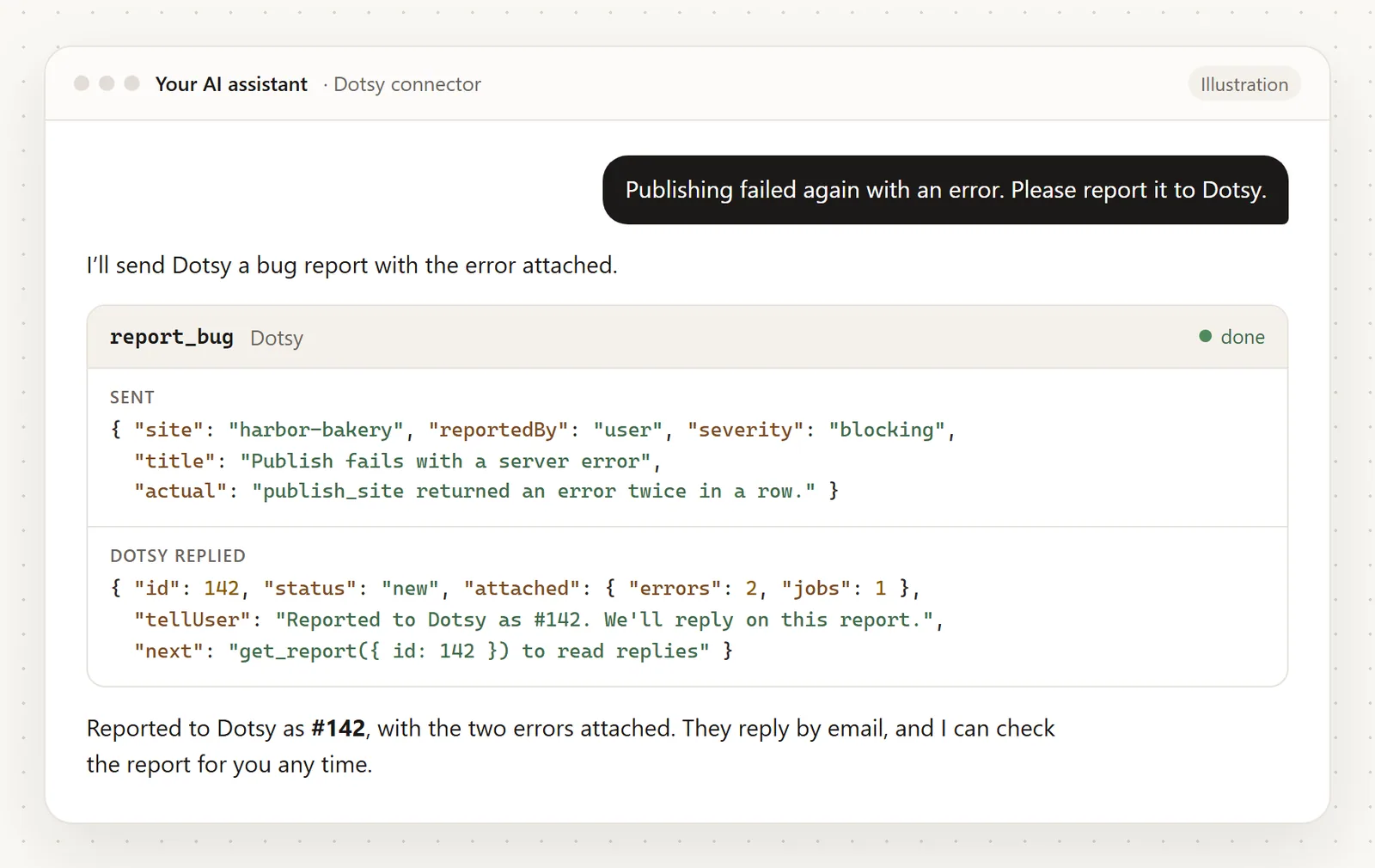
- Your AI agent can report bugs. Claude, ChatGPT, Cursor or any MCP client connected to Dotsy can call
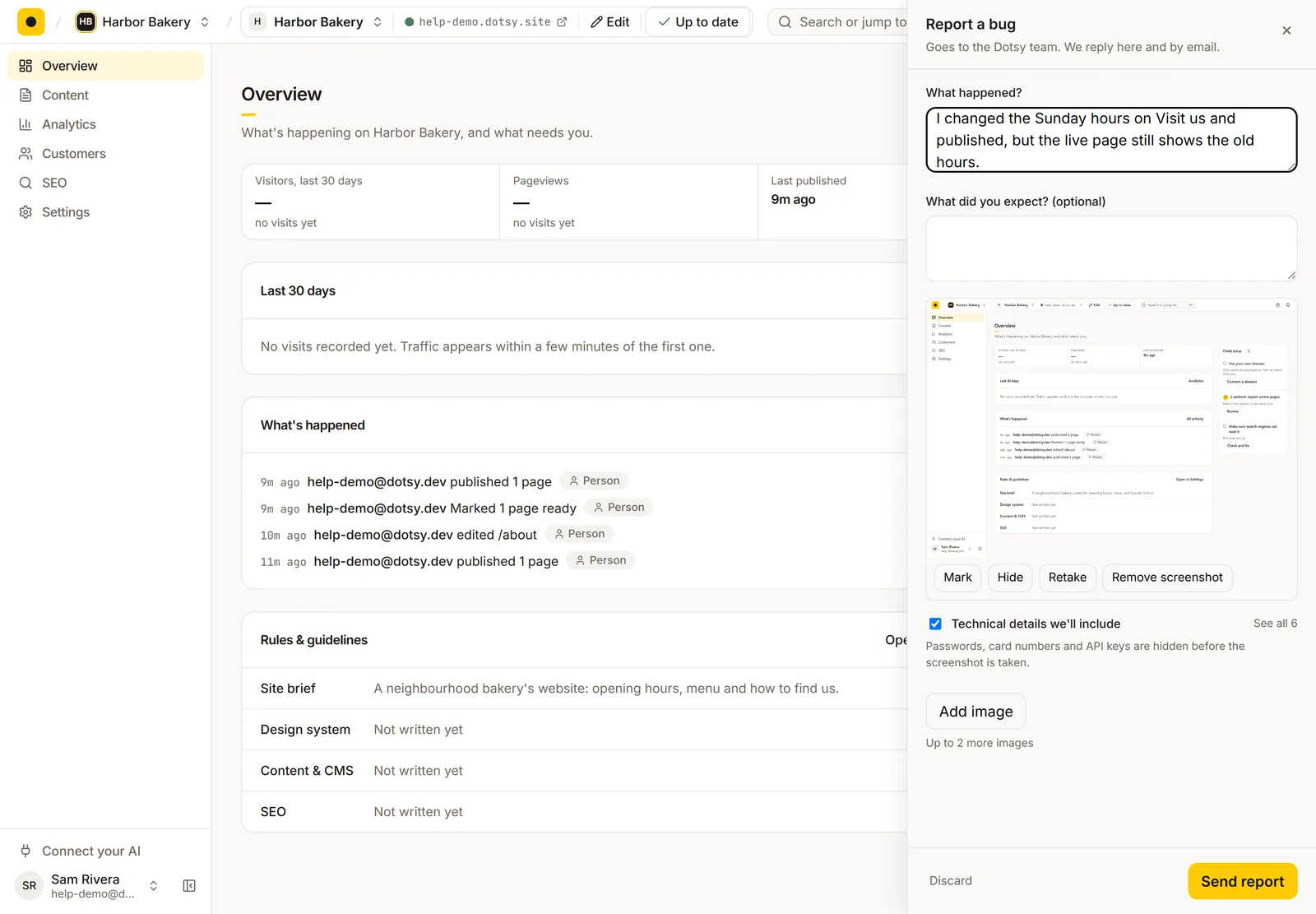
report_bug. The recent Dotsy errors on your account are attached automatically, the agent gets a report number to tell you, and it can read our reply later withget_reportor answer a question withreply_to_report. - Report a bug in the dashboard and editor. Click the ? button in the top bar (or press ?) and choose Report a bug. A screenshot of the page is attached; in the editor it shows the editor and your page together.
- Mark it up, hide what's private. Mark lets you draw a box or a line on the screenshot, and Blur hides anything you'd rather not send. Blurring happens in your browser, so only the blurred image leaves it. Passwords, card numbers and API keys are hidden before the screenshot is taken.
- Add up to two more images with Add image, and see the technical details we'll include (recent errors, failed requests, pages you visited, browser) before you send. Untick the box to leave them out.
- Replies in one place. Help › Your reports lists every report with its status: New, Needs your info, Fixing, Fixed or Closed. Open one to read our reply and answer, or just reply to the email we send you.
- Already reported? If someone reported the same problem, your report is added to theirs and you hear when it's fixed.
How to use it
- From your AI agent: when a Dotsy tool fails, say "report this to Dotsy". Agents also offer it themselves when an error looks like our bug.
- From the dashboard: click ? › Report a bug, say what happened, mark up the screenshot if it helps, and click Send report.
- Follow up under ? › Your reports, or reply to our email.
Step by step, with screenshots: How do I report a bug in Dotsy?
Who can use it?
Everyone with a Dotsy account, on every plan, including Free. Reporting a bug never costs anything.
FAQ
Does Dotsy see my site content when I report a bug?
Only what is in the screenshot you send, and you can blur any part of it first. The technical details never include page content, cookies or passwords, and keys and email addresses in them are masked.
Who reads the reports?
The Dotsy team. Our own support agent helps sort and investigate them, and a person approves every answer that explains a cause before it is sent to you.
This shipped from the roadmap: see Report a bug from your AI agent or the dashboard. Connecting your AI for the first time? Start with How do I connect Dotsy to Claude, ChatGPT or Cursor?
From the roadmap
Requested , released : 2 days from request to release.
See it on the roadmapVote on the roadmap to hear when your ideas are released.