Sign in with a code sent to your email
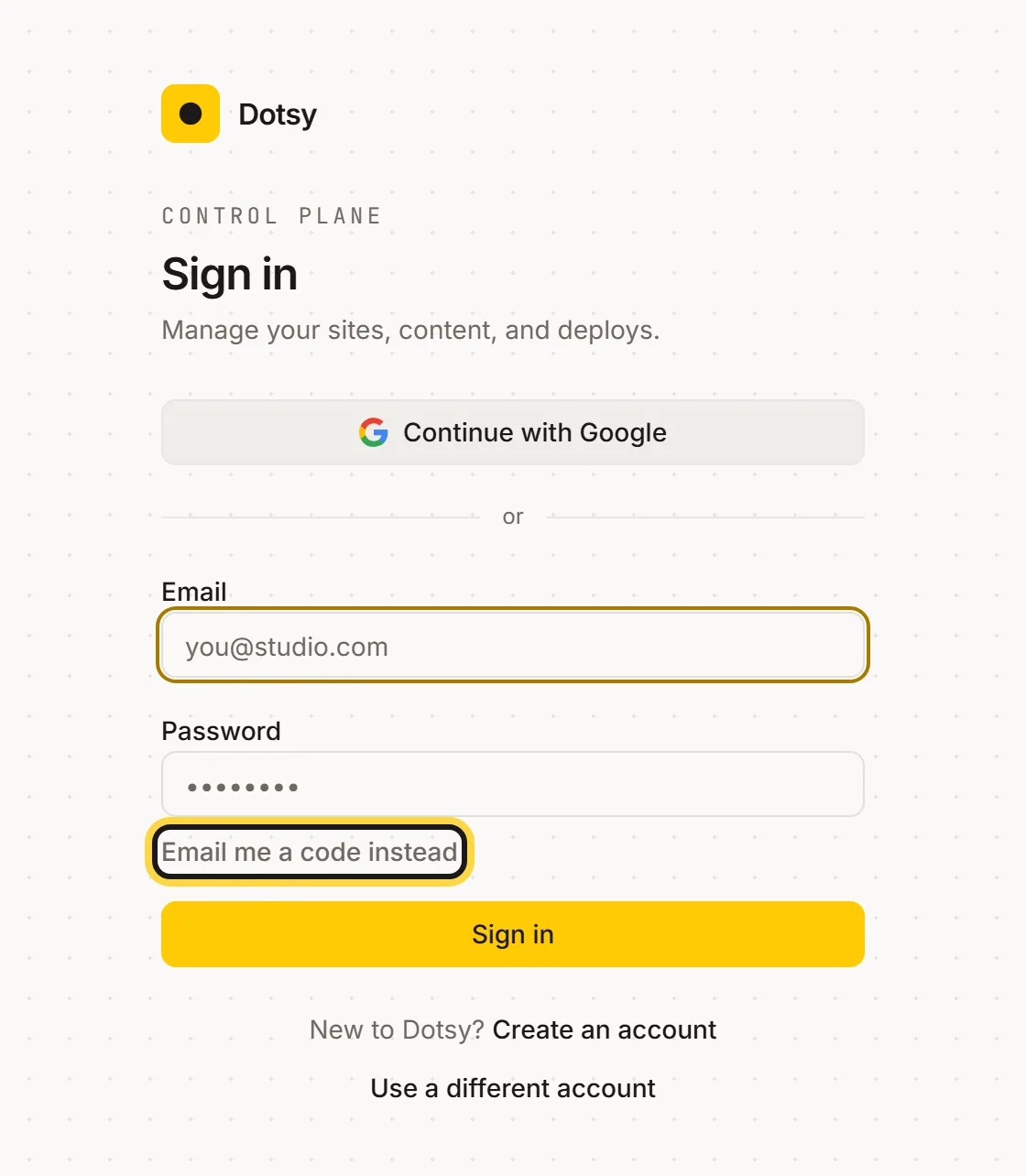
You can now sign in to Dotsy with a one-time code instead of a password. On the sign-in page, choose Email me a code instead, enter your email and type the 6-digit code we send you. It helps when you've forgotten your password or you're on a computer where Google sign-in isn't set up.
How to use it
- Go to app.dotsy.ai/login and click Email me a code instead.
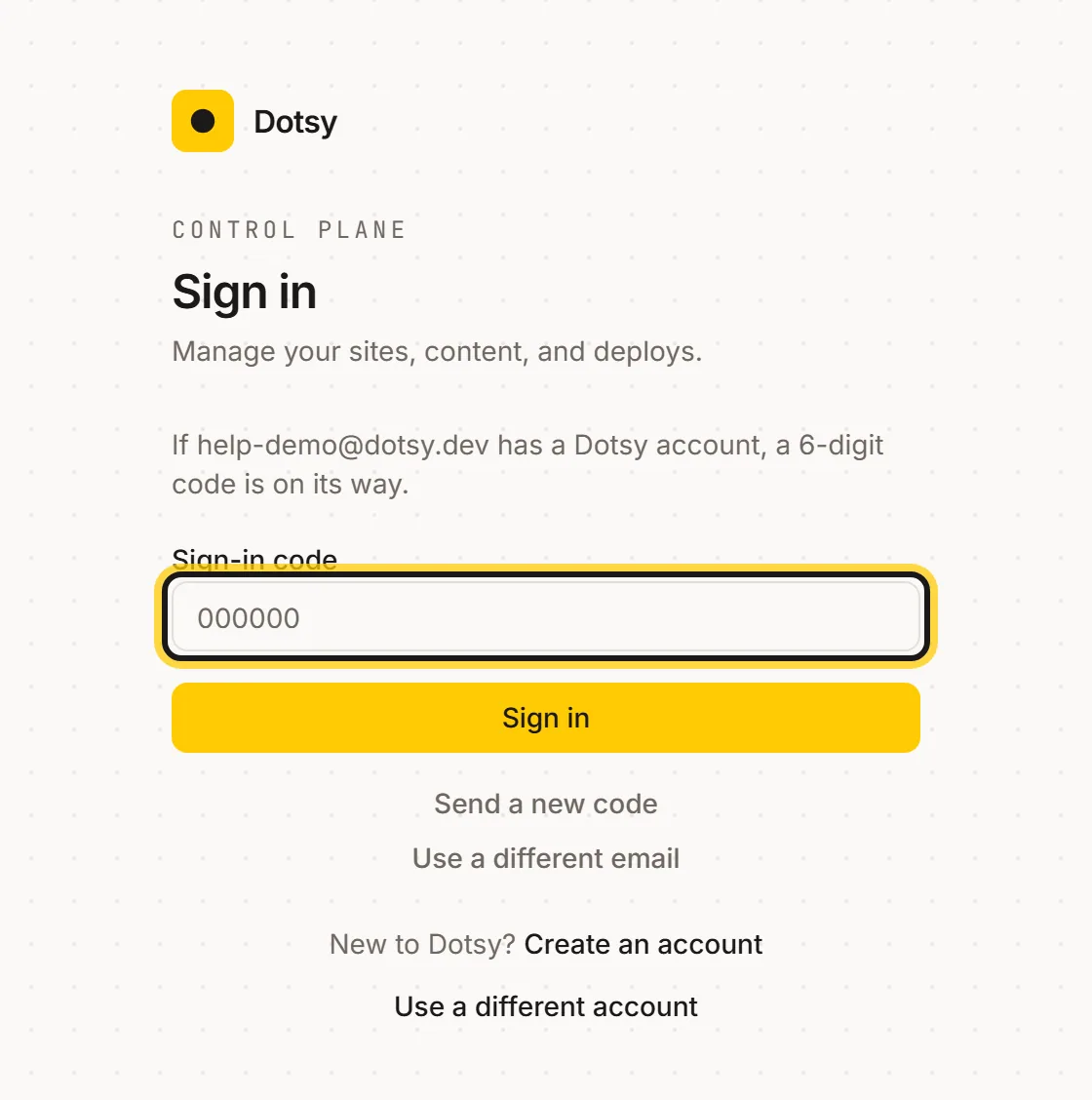
- Enter the email address of your Dotsy account and click Email me a code.
- Type the 6-digit code from the email into Sign-in code. The code works for 10 minutes; if it runs out, click Send a new code.
The same option is there when you sign in to vote on the roadmap. To go back to your password, click Use my password.
Good to know
- Codes sign you in; they don't create accounts. New to Dotsy? Create an account first.
- Your password and Google sign-in keep working. The code is an extra way in, not a replacement.
- Didn't ask for a code? Ignore the email. Nobody can sign in without the code.
Something not working when you sign in? Email hello@dotsy.ai, or once you're in, use Report a bug from the ? menu.
Vote on the roadmap to hear when your ideas are released.