Open your site, go to SEO & AI visibility › Performance and click Connect Bing. You sign in to Bing once; dotsy proves the site is yours and sends Bing your sitemap, with no DNS changes. Bing usually has numbers about 2 days later.
Bing's results also feed Yahoo and most of DuckDuckGo's links, and Bing counts clicks from Copilot answers in its own numbers.
You can connect Google to the same site too: the two sit side by side on Performance. See How do I add my dotsy site to Google Search Console?
Steps
- Open your site and go to SEO & AI visibility › Performance. Click Connect Bing.
- Read Before you continue to Bing and click Continue to Bing.
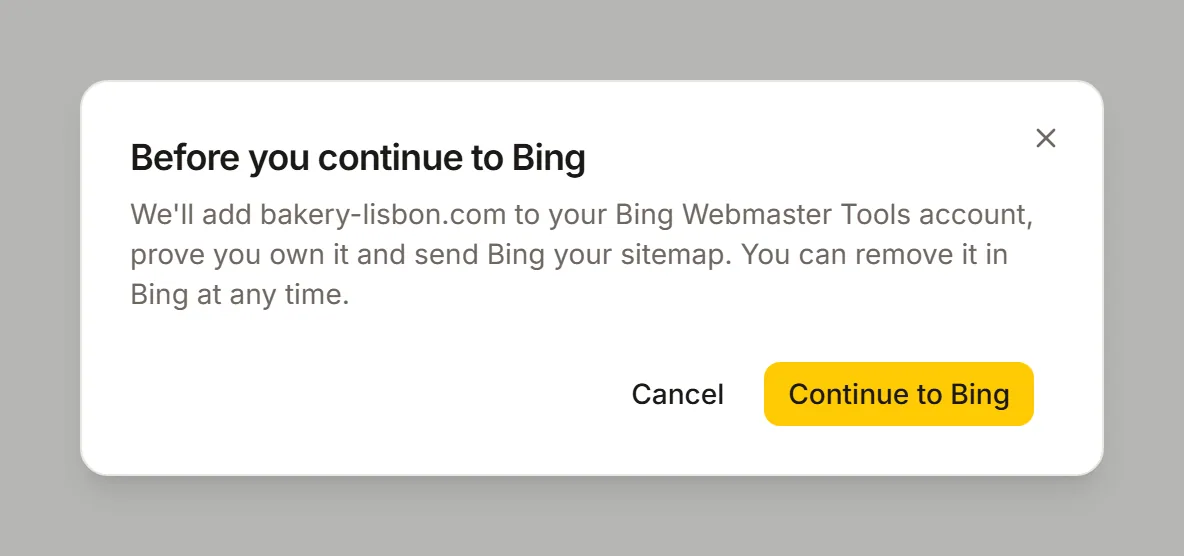
What dotsy will do in Bing, before you sign in there. - Sign in to Bing Webmaster Tools and allow access. If you've allowed dotsy before, Bing sends you straight back.
- Back in dotsy you see Connecting Bing with four steps: Found your Bing account, Proved you own your address, Sent your sitemap, Asked Bing for your numbers. Bing's check of the small file takes a few minutes. You can leave the page; dotsy keeps going.
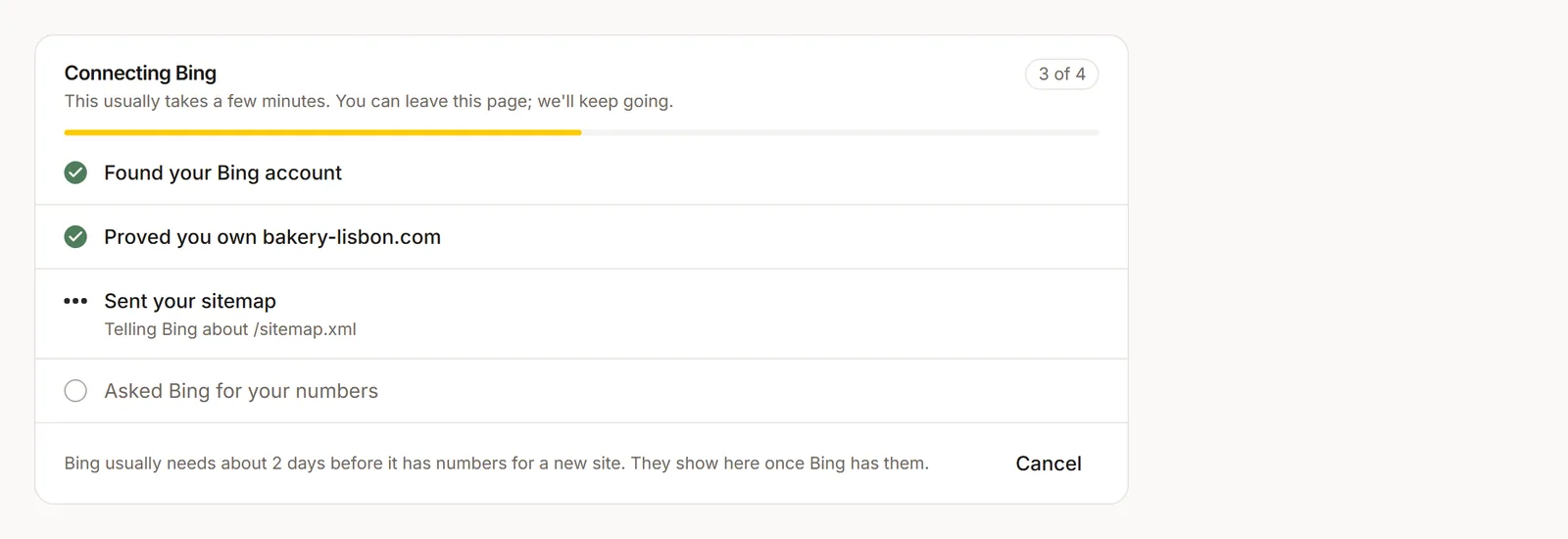
Connecting Bing shows each step while dotsy works. It carries on if you leave the page. - When it's done, the Bing line says Bing is still getting to know your address until Bing has numbers, usually about 2 days for a site that's new to Bing.
What you see
- Tiles: Clicks, Shown in search and Click rate for the period you pick, each with its change from the period before.
- Clicks per day: one chart of the clicks Bing sent you.
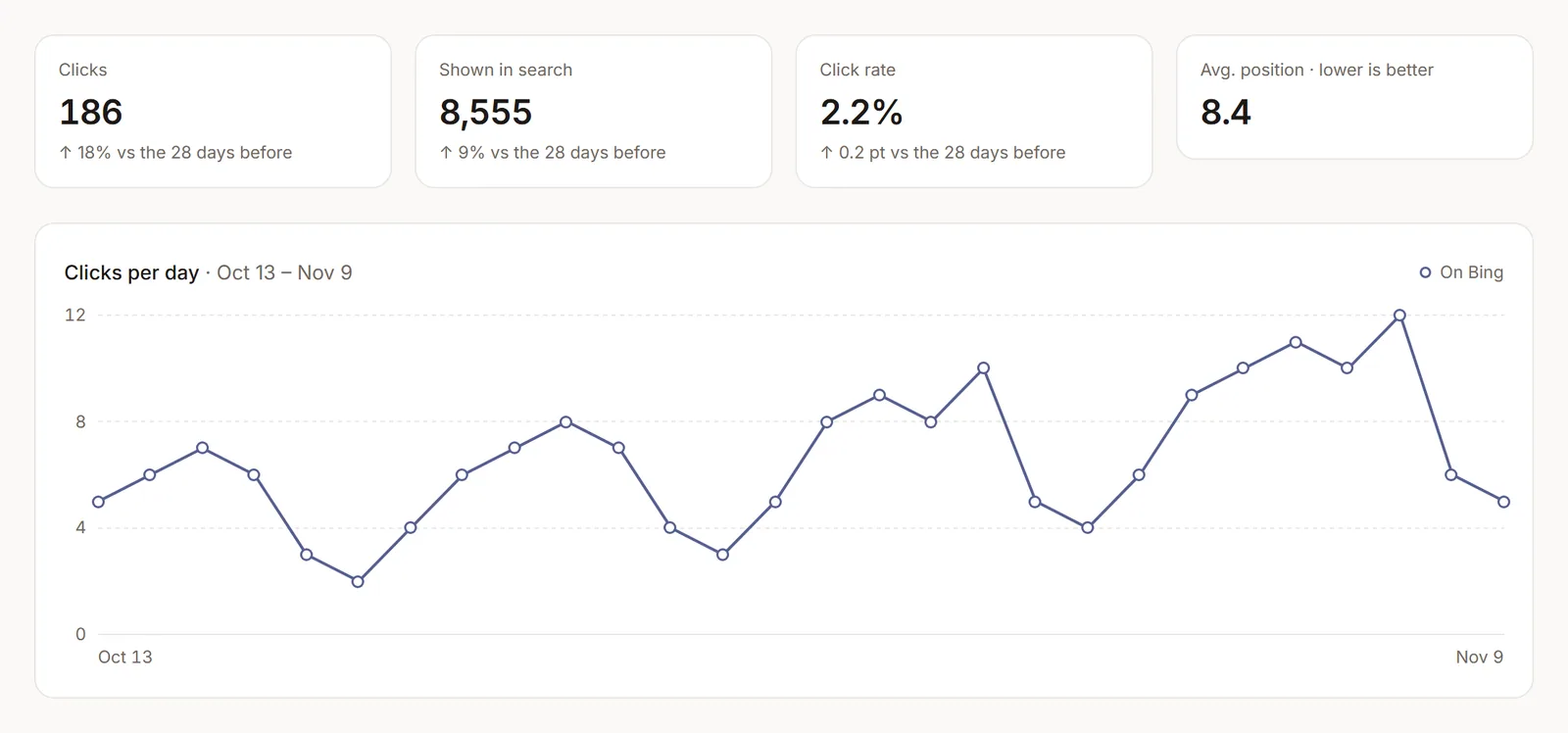
Performance with Bing connected: three tiles with their change, the average position, and the clicks per day. - Searches and pages (Core and up): the searches and pages Bing showed you for. Bing has no numbers for a search on a single page, so the two lists are separate. On Free you see a line saying they come with Core.
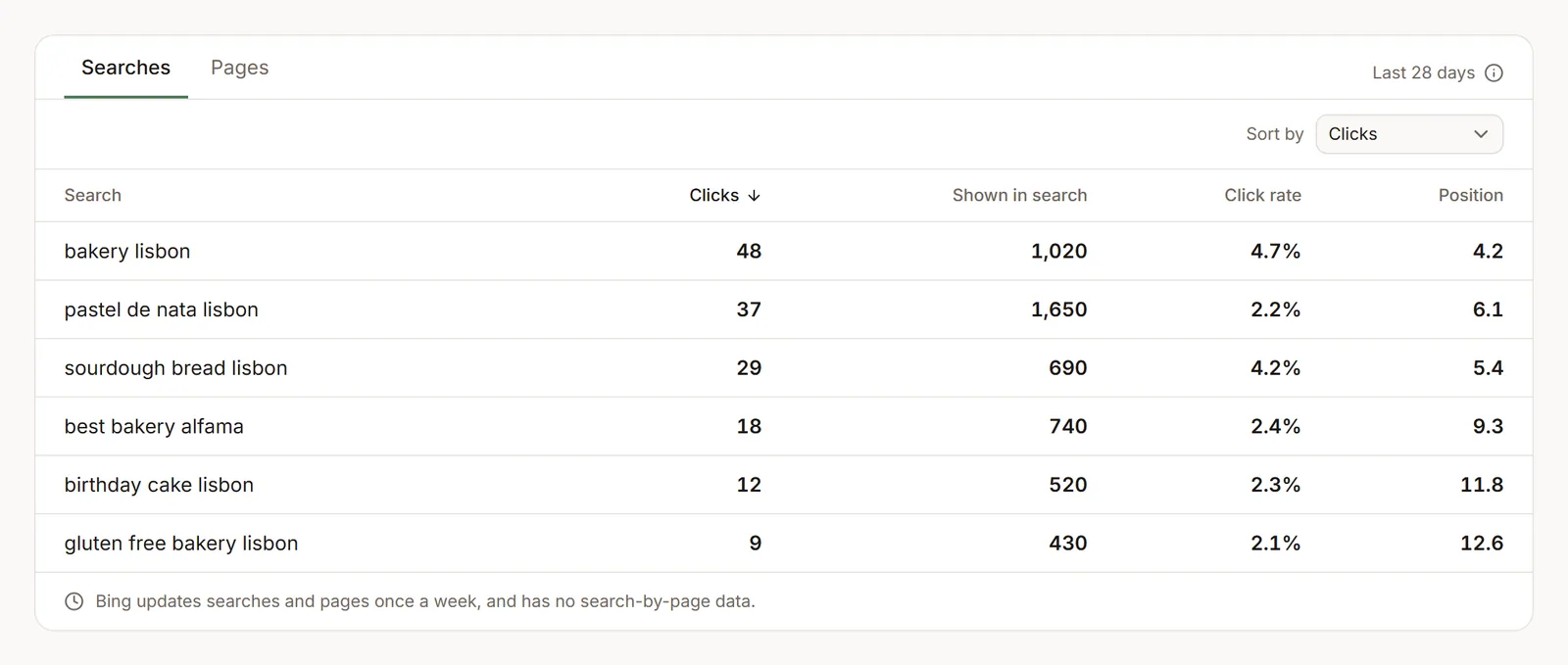
Searches and pages (Core and up): what people searched for and which pages Bing showed. - Indexing: when Bing last read your sitemap, pages Bing had trouble with, and pages in your sitemap that weren't shown on Bing in the last 28 days.
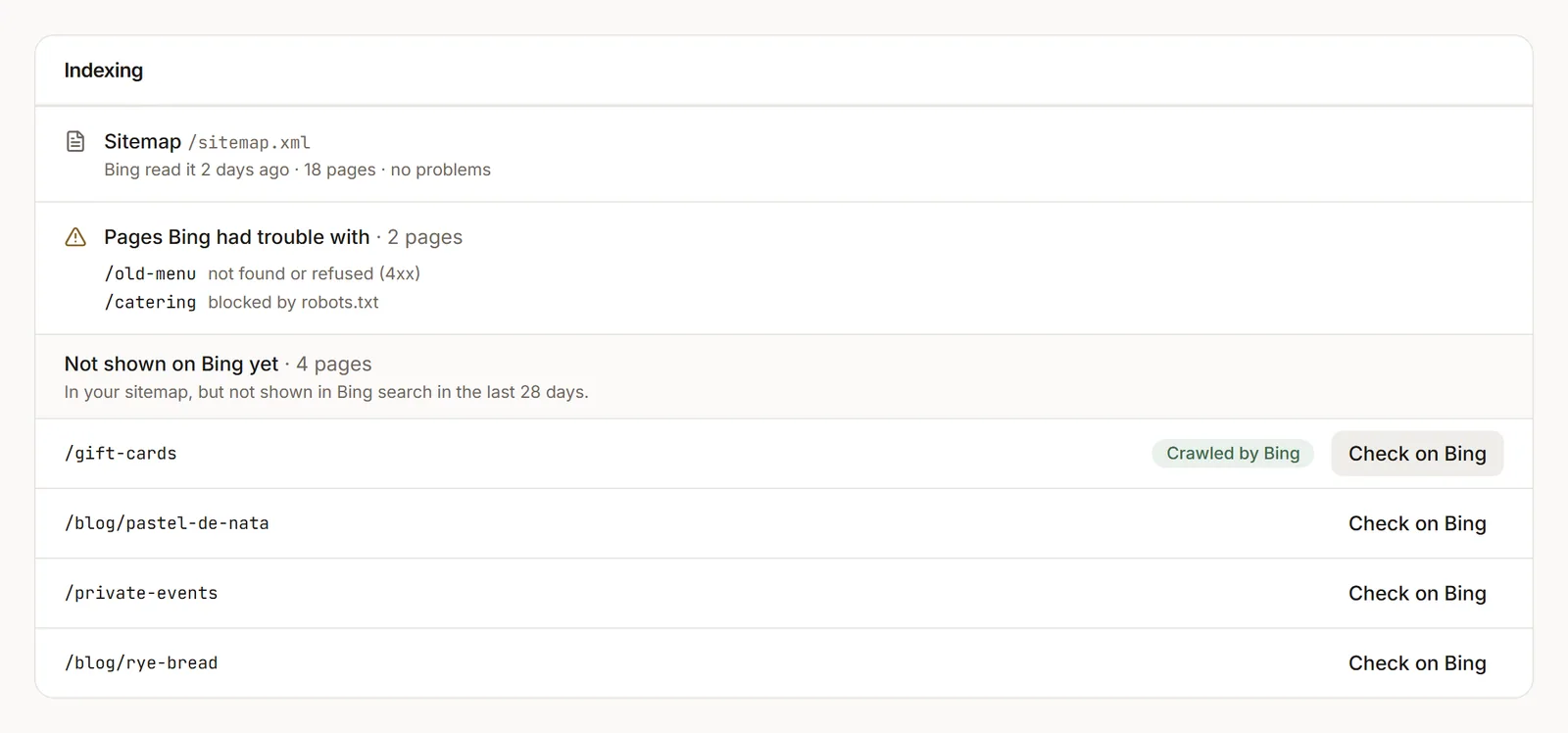
Indexing: your sitemap as Bing read it, pages it had trouble with, and Check on Bing for pages not shown yet. - Check on Bing (Core and up): asks Bing when it last read a page and what it got back. Open a page in the SEO page inspector and click Check on Bing under On Bing. Each site gets 200 checks a day.
- Overview: the Search card shows a line like "Bing: 41 clicks this week" and an On Bing link.
Why are my Bing numbers late?
Two reasons. A site that's new to Bing usually takes about 2 days before Bing has any numbers. And Bing updates its searches and pages lists once a week, so they can trail the daily clicks by several days. dotsy shows when the numbers were last updated.
"Crawled by Bing" isn't "in Bing's results"
Bing tells us when it last read a page and what your site answered, not whether the page shows in its results. Crawled by Bing means Bing has read it; Not crawled yet means Bing hasn't.
Disconnect Bing
On SEO & AI visibility › Performance, open the … menu and choose Disconnect Bing…, then Disconnect Bing. dotsy stops showing Bing's numbers and deletes its copy of your Bing access. Your site stays in your Bing Webmaster Tools account; to remove it, sign in to Bing Webmaster Tools and remove it from your list of sites.
Troubleshooting
"Your site has a password, so Bing can't check it."
Turn the password off in Settings › General, connect Bing, then turn it back on if you need to. Bing keeps the site.
"Publish your site before connecting Bing."
Bing can only check a live site. Publish it, then connect.
"Bing couldn't confirm you own this site yet."
Bing's check can be slow. Wait a few minutes and click Try again.
"Your Bing Webmaster Tools account has reached Bing's limit of 1,000 sites."
Bing allows 1,000 sites per account. Remove one in Bing Webmaster Tools, or sign in with another account, then try again.
"Bing needs you to sign in again"
Bing stopped accepting dotsy's access. Click Reconnect Bing.
Does connecting Bing change my site?
No. dotsy answers Bing's ownership check with a small file at /BingSiteAuth.xml. Your pages don't change. If your site already had its own BingSiteAuth.xml, its codes keep working.
Can a team member connect Bing?
A workspace owner connects it. Others see "An owner can connect it" and can copy a link for an owner.
Can my AI assistant read my Bing numbers?
Yes. The same search tools take Bing as the source. Connecting still needs an owner to sign in to Bing in the dashboard.